

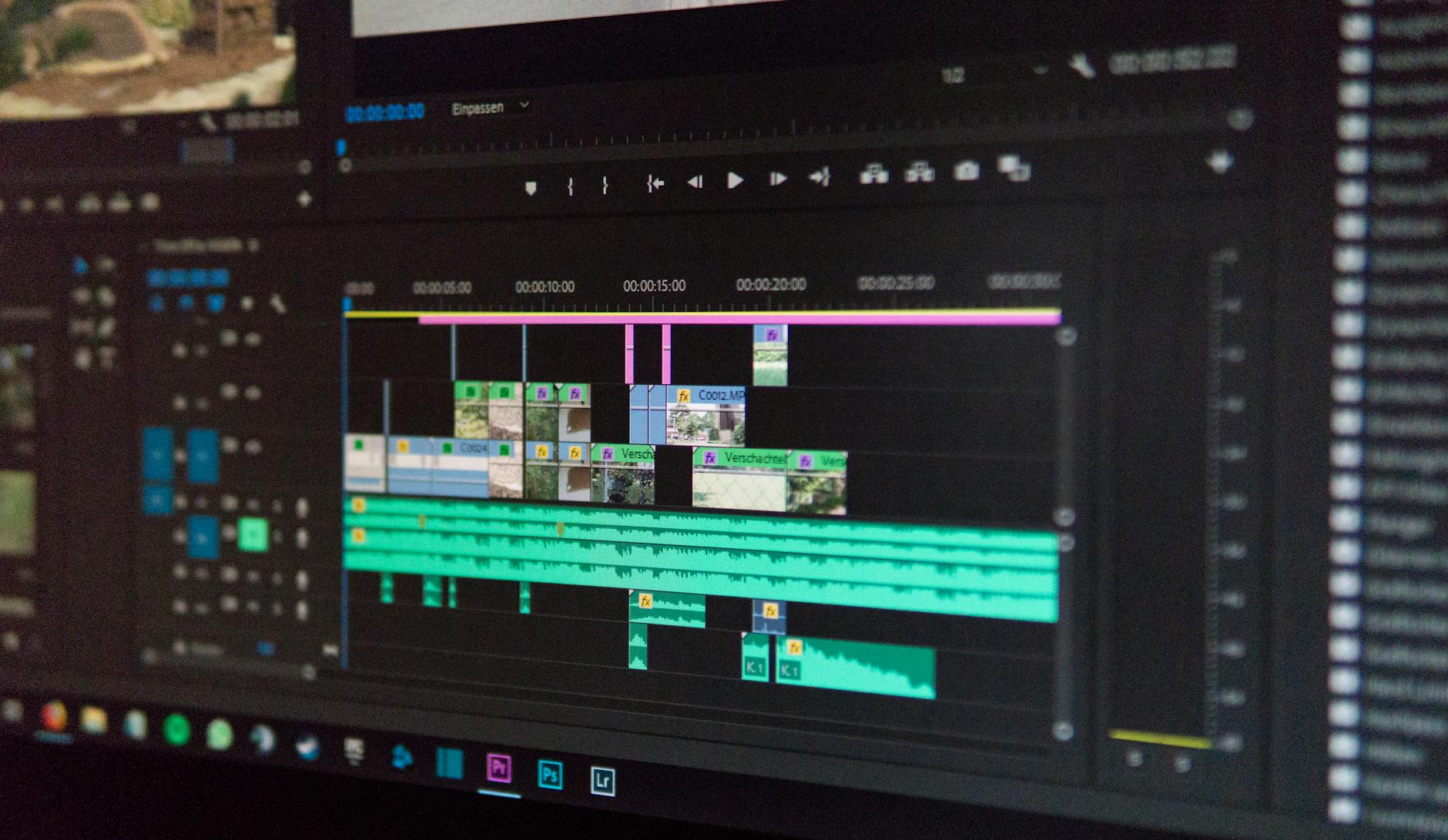
The render finishes at 11:40 p.m.
The file opens. There it is — a small translucent logo parked in the bottom-right corner of a shot you spent all afternoon grading. The client has already asked twice for a review link.
That's the moment people start hunting for a free AI video editor with no watermark. Not because they're cheap. Because they thought they'd already found one.
What follows is a vetting guide, not a ranked list. The reason matters: nobody behind this piece published test conditions, hardware specs, or file-level output comparisons. A ranking built without those is just an opinion wearing a number.
Two Promises Hiding Inside One Search Query
Strip the phrase down and it's carrying two separate asks. The first is about money. The second is about who controls the file once it exists.
Conflate them and you end up scrubbing a logo out of a client deliverable late at night. So a working definition helps: a free AI video editor with no watermark runs AI-assisted edits — cuts, reframes, noise reduction, generative fill, captioning — at zero cost, and hands back an export with no vendor branding and no export-rights restrictions. The second half is the part that gets buried.
Start with the economics, because they explain most of the design decisions you'll run into. Free users consume compute, and compute costs somebody money. The industry's honest options have been to absorb that cost in exchange for conversion to paid tiers, or to gate the clean export behind a subscription. A watermark is the gate made visible.
There's a third path, though, and it's the one worth understanding. If the AI model runs on your machine instead of the vendor's server, the marginal cost of your export drops toward zero. That's not a marketing claim — it's an architectural fact. It's also why the "free means watermark" assumption is now, at minimum, contestable.
The Architecture That Changed the Math
Two technologies carry this shift, and both are documented in specifications rather than pitch decks.
First: the browser's own media pipeline. Web-based AI video editing which means the browser handles capture, buffering, and stream handling that used to require a native application. The Media Capture and Streams API is what most of this rests on. As MDN Web Docs puts it:
- "The MediaStream interface of the Media Capture and Streams API represents a stream of media content. A stream consists of several tracks, such as video or audio tracks."
That's a spec definition, not a vendor's marketing line, which is why it's worth quoting. It describes a browser that can hold a live, addressable media stream — and once a stream is addressable from JavaScript, an editing layer can sit on top of it.

The second piece is WebAssembly. Browser-based editing platforms use it to execute complex AI models locally, on your hardware, inside the tab — rather than shipping every frame to a GPU cluster somewhere in Virginia. This is the detail that reframes the category. The traditional argument for watermarking rested on server costs; when the model runs on the user's CPU or GPU, that argument loses its foundation for a meaningful slice of the workflow.
Which brings up one of the more persistent misconceptions in this space: that browser-based editing is inherently slower than desktop software. That framing usually compares the wrong two things. The meaningful comparison isn't browser versus desktop. It's local compute versus remote compute.
A native app streaming frames to a distant render farm can feel slower than a browser doing the same work on the machine in front of you, and vice versa. Latency in cloud rendering is a real, documented pain point — round trips across a continent don't get cheaper with better software. Local processing trades that latency for a different constraint: your own hardware ceiling. We'll come back to that, because it's where the free-model argument gets genuinely shaky.
Reading the Benchmark Numbers Without Getting Fooled
Three figures get quoted in this category. All three come from the benchmark set compiled for this analysis, and all three are easy to misread.
| Metric | Reported value | What the label claims | What it doesn't tell you |
|---|---|---|---|
| Performance and reliability gain under systematic optimization | 75%+ | Measured improvement when an optimization process is applied consistently | Says nothing about which optimizations, on what hardware, or whether the gain holds at 4K |
| Browser API compatibility for media processing | 92.0% | Share of tested browser environments that support the required media APIs | Leaves roughly one environment in twelve uncovered; mobile and embedded browsers are the likely gap |
| AI research benchmark reliability for generative video standards | 94.0% | Reported reliability of generative video standards against research benchmarks | A benchmark result, not a device result — it tells you nothing about your laptop's thermals at hour three |
The 94% figure is the one most often lifted out of context. Generative video benchmarks typically measure consistency against a defined standard, which is a research-level question. It isn't a promise that a given tool will hold quality across a long timeline on consumer hardware. The data points one way, and it's a reasonably strong direction — but it's not a device guarantee.
The 92% compatibility number deserves similar care. It's strong for mainstream desktop browsers, which is the environment most people reading this will use. Whether it holds on older mobile chipsets, locked-down corporate devices, or Linux builds with partial GPU acceleration is a separate question the figure doesn't answer. For a working editor, that gap is the difference between a tool that opens and a tool that exports.
And the 75%+ optimization gain is directional rather than portable. Systematic optimization meaningfully improves performance and reliability in the environments where it's been measured. How much carries over to a five-year-old MacBook Air running a browser tab alongside three others is not something the number can settle.
Before You Upload Footage: A Six-Question Check
Nobody wants to read terms of service. Read them anyway — in this order. These are the questions that separate tools that respect your export from tools that rent it back to you.
1. What exactly is watermarked — the preview, the export, or both? A tool that watermarks previews only is a different product from one that brands the delivered file. Some free tiers watermark the timeline preview and hand back a clean master; others do the reverse, which is the trap. Test with a ten-second clip before you commit a forty-minute project.
2. Where does the compute happen? This is the privacy question disguised as a performance question. If the model runs locally through WebAssembly, your footage may never leave the machine. If it runs server-side, you're uploading raw footage to a third party — and those privacy risks are well documented in this category. For client work under NDA, corporate footage, or anything with faces and location data in it, that distinction decides the tool.
3. What are the export ceilings? Hidden export limits are the most common failure mode in freemium software. Resolution caps, export-count-per-day limits, timeline-length limits, and "watermark-free on the first export only" rules all exist. Find the ceiling before the deadline finds it for you.
4. What happens to your files afterward? Upload a raw master to a server and you're trusting someone else's retention policy. Look for an explicit deletion window and an explicit statement that footage isn't used for training. Vague language here is a finding, not a neutral detail.
5. What's the exit plan? If the tool shuts down, changes terms, or moves the clean export behind a new paywall, what do you still have? Projects stored in a proprietary cloud format can become unrecoverable. Local project files, or standard interchange formats, are the hedge.
6. Does it work at your actual resolution and length? A three-minute test at 1080p proves almost nothing about a twenty-minute 4K sequence. Benchmark your own workflow on hardware you actually own. It's the single most useful hour you'll spend in this category, and almost nobody does it.
The Counter-View: Free Might Be a Phase, Not a Model
There's a dissenting read on all of this, and it deserves more airtime than it usually gets. The argument goes like this: local-first, browser-based free editing isn't a permanent business model — it's a transitional artifact of a period when consumer hardware happens to be capable enough to shoulder the load.
If that's right, the constraint shifts rather than disappears. Instead of paying a subscription, you pay in hardware. And the people most likely to need a genuinely free editor — students, solo creators starting out, small shops, editors in markets where a $30 monthly seat is a real decision — are frequently running older machines with integrated graphics. A free tool that requires a discrete GPU isn't free. It's deferred.
That's the sharpest unresolved tension in the category, and mainstream coverage glosses over it. The long-term sustainability of completely free models is genuinely uncertain if local hardware requirements keep climbing past what average users own. That's not a prediction — it's a stated limitation of what the current evidence can support.
There's a second angle, too. Even when compute costs aren't the reason, gating persists, because gating converts. A vendor might run models locally, pay nothing for your export, and still watermark the free tier — the watermark is a sales mechanism, not a cost-recovery one. The architecture removes one justification for watermarking. It doesn't remove the incentive.
Key Uncertainties and Open Questions
A few things the available material genuinely can't settle. Stated plainly, so you can weight the rest of this accordingly.
The benchmark figures cited above arrive without fully documented methodologies. Treat the 75%, 92%, and 94% numbers as directional indicators of category capability rather than independently reproducible results. If you're making a purchasing or infrastructure decision on those numbers alone, that's too thin a basis. Seek the primary methodology.
There's also no independent, hands-on comparison of named products behind this guide — which is the honest reason there's no ranked list here. Any article claiming a definitive ranking for 2026 without published test conditions, hardware specifications, and file-level output comparisons is asking you to take its word for it. That's a testable claim, and mostly it isn't tested.
One more gap: compatibility figures cover browser environments, not device performance. Nobody has published a broad, longitudinal study — as far as the material reviewed here shows — on whether local AI rendering holds up over a three-hour session on mid-range 2023 laptops. That's the exact scenario most readers care about, and it's the one with the least evidence behind it. Confidence there should be low.
Illustrative scenario, labeled as such: a two-person production shop adopting a local-compute browser editor might see zero export costs and better privacy on client footage, while hitting hardware ceilings on longer 4K sequences and losing time to browser memory pressure. Whether the trade is worth it depends entirely on footage length, deadline pressure, and machine spec — none of which a general recommendation can resolve for you.
What Actually Matters When You Choose
The category has moved. Two or three years ago, the question was whether a free tool could produce anything usable at all. Today a browser tab can run a generative model locally, on your own silicon, with no server round trip and no per-render bill. That's a real change in what's possible, and it's why "free" and "clean export" have stopped being mutually exclusive by default.
The commercial logic hasn't moved as fast as the technical logic, though. Free tiers still exist to convert, and conversion still happens at the export button. So the practical stance is neither suspicion nor optimism. Test the specific claim — clean export, at your resolution, on your hardware — with a throwaway clip. Then decide.
The unanswered question is whether local-first free editing survives its own success. If these tools get good enough to attract millions of users, the hardware bar for running them well keeps rising, and the people priced out of a subscription may find themselves priced out of a capable machine instead. Whether that's a temporary gap or the shape of the next decade is something the current evidence simply doesn't settle. Anyone telling you otherwise is selling something — possibly a watermark-free export.
Key Takeaways
- "Free" and "no watermark" are two separate promises. Price is one question; export rights and file ownership are another, and the second is where most surprises live.
- WebAssembly running AI models locally inside the browser undercuts the traditional cost argument for watermarking. It doesn't remove the sales incentive behind it.
- The reported figures — 75%+ optimization gain, 92.0% browser API compatibility, 94.0% benchmark reliability — are directional. They describe category capability, not your machine's performance on a twenty-minute 4K sequence.
- Browser versus desktop is the wrong comparison. Local compute versus remote compute is the one that predicts how a tool will feel, and how much of your footage leaves your machine.
- The unresolved tension: if local hardware requirements keep rising, "free" may simply relocate its cost from a subscription to a GPU.
FAQ
Is it safe to use free AI video editors?
Safety splits into two questions: data handling and export rights. When the model runs locally through WebAssembly in your browser, footage may never leave your machine — the lower-risk path. Server-side tools require you to trust a retention and training policy instead.
The benchmark set behind this guide puts browser API compatibility at 92.0%, which speaks to capability, not to any vendor's data practices. Read the specific policy before uploading client or sensitive footage.
Do free editors support 4K export?
Some do, with conditions. Resolution caps are among the most common hidden export limitations in freemium software. The only reliable test is exporting your own 4K file on your own hardware and timing it. Browser compatibility figures don't cover device performance at high resolutions.
How do local-compute tools handle large video files?
Locally, which means the ceiling is your machine. Browser-based platforms use WebAssembly to run complex AI models without a server, so latency drops — but memory and thermal limits take over. Long timelines at high resolution are where local processing is most likely to strain on mid-range hardware, and that's the scenario with the least published evidence.
Why did my "no watermark" editor suddenly add one?
Usually because the free tier's terms allow it, or because you hit an export limit. Many tools watermark previews and not exports, or the reverse. Test with a short clip before committing a long project, and check which one your tool brands.
Reader Discussion
0No comments yet. Be the first to share your thoughts, strategic perspective, or feedback on this guide!
Post a Comment
Join the discussion. All constructive feedback and editorial insights are welcome.